Skip to content
For agencies & brands

Livestream ads with numbers you can show your clients.

Advertise in the livestreams of small and mid-sized streamers with 5 to 250 viewers and manage your campaigns yourself. Ads only run in live streams, and you only pay for reach we have verified.

Self-service from a €100 budget, no minimum contract.

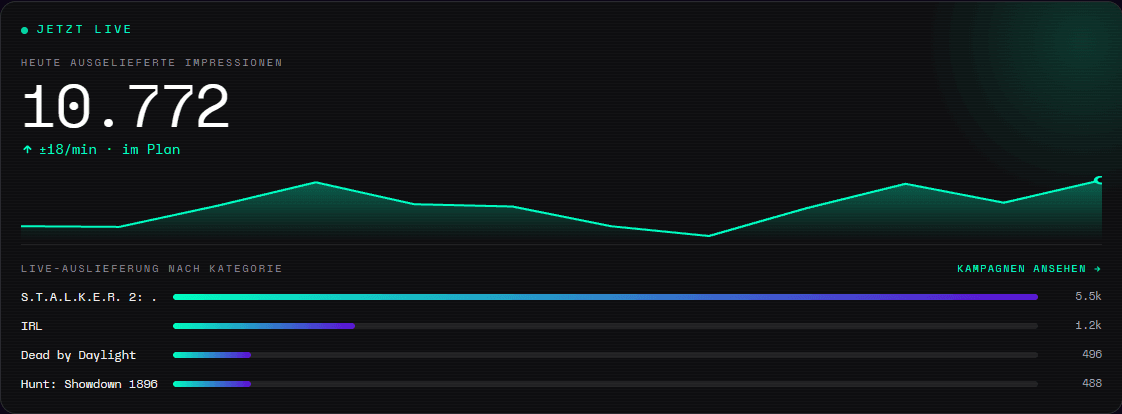
Section of the PixelPact dashboard: impressions delivered today and live delivery by stream category
Live view from the campaign dashboard

Three formats, right inside the stream

Your ad appears on screen, in chat or across the whole stream. Pick a format to see it in the picture.

Live stream on Twitch with a running campaign

Hover over a format to see it in the stream.Tap a format to see it in the stream.

Display or Hero can be combined with Chat. In combined campaigns, chat impressions are free.

More: in-stream ads on Twitch, explained

Why you only pay for what actually ran

  • Ads are only delivered while the stream is live and the overlay or chatbot is connected.
  • After the stream, we check every impression against the stream's actual category.
  • Invalid impressions are neither billed nor counted.
  • Skipped deliveries cost no budget.

How we count

We count impressions by the number of viewers at the time of delivery, based on a snapshot no more than two minutes old. Clicks are counted only after bot detection and de-duplication.

Your campaign’s live reportSample data
  1. mara_tv is live, 184 viewers, overlay shown.19:40 · billed
  2. Chat message delivered on pixelfuchs, 126 viewers.19:41 · billed
  3. Stream category was on your exclude list.19:42 · not billed
  4. k3vin is live, 212 viewers, 9 bots filtered out.19:43 · billed
CheckLogSettleEach line is one checked minute. You and the streamers see the exact same report.

The report you can pass on

After the campaign ends, you get a report you can hand straight to your client. It summarises delivery across the whole campaign and explains how everything was counted.

Sample report as PDF (streamers anonymised) · PDF in German, 194 KB
Final report · ContentsPPR-2026-00004
  • SetupFormats, targeting, countries, budget and duration
  • TimelineDelivery across the full campaign period
  • Creator distributionHow impressions are spread across channels
  • Click rate, both readingsPer message and per impression
  • Countries and languagesShare of impressions by country and language
  • VerificationChecked, invalid and skipped deliveries
  • MethodologyHow impressions and clicks are counted

Case studies

Case study
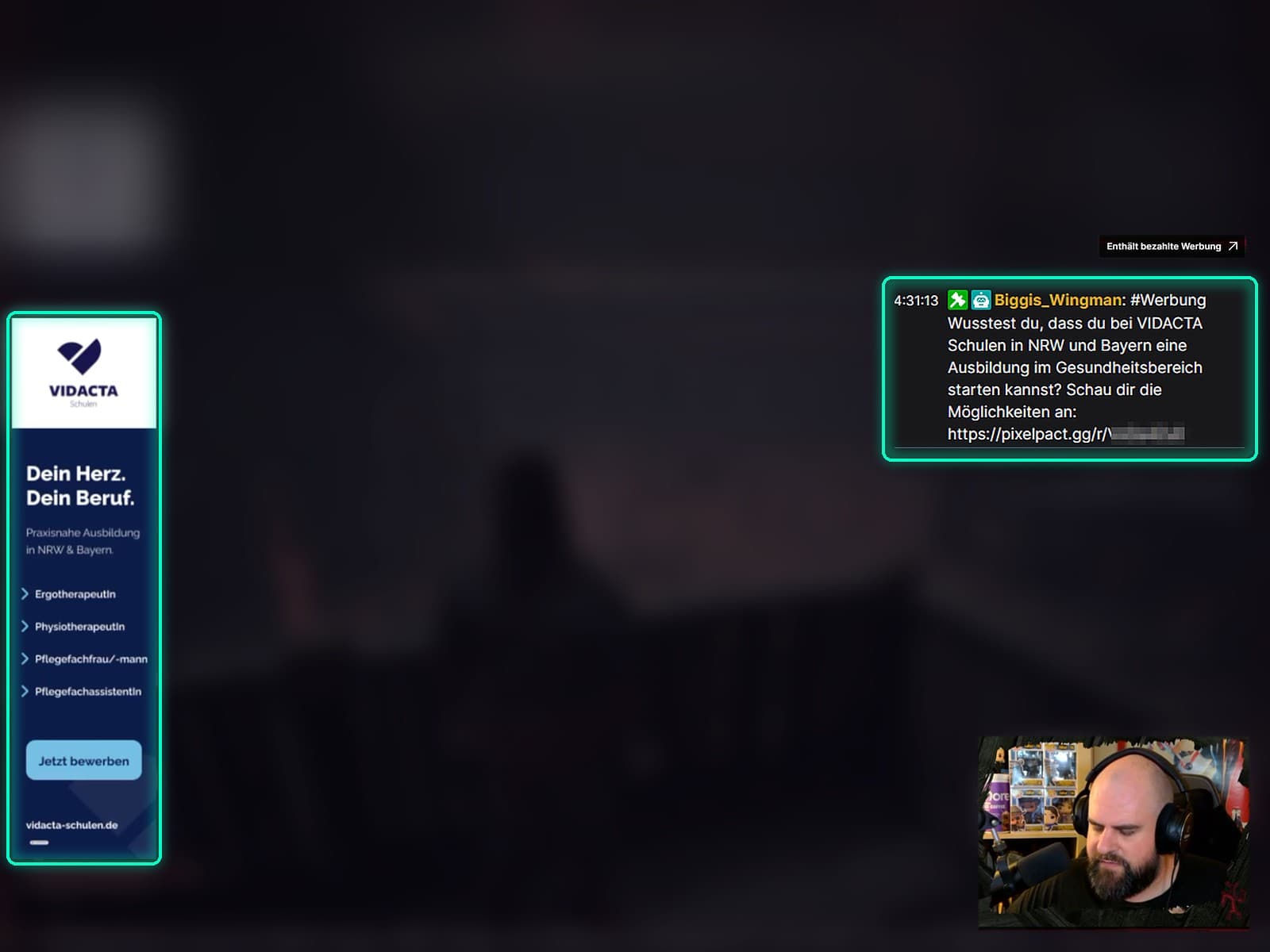
Stream showing a VIDACTA display ad on the left and a #Werbung chat message about healthcare apprenticeships on the right
VIDACTA banner in the overlayChat message linking to the application
19,833 verified impressionsVIDACTA Schulen GmbH: healthcare apprenticeshipsEight days, a €250 budget. 34 streamers delivered, 3,772 unique viewers saw the ad. The 13,688 chat impressions came free on top.1–8 Sept 2026 · Twitch · Display and chatRead the full case study

What a campaign costs

You pay for verified impressions and, in combined campaigns (Display or Hero with chat), for clicks on the chat link.

Self-service

from €100budget

  • No minimum contract
  • Pause any time

Pilot

from €500budget

  • Consulting included, up to two hours
  • Strategy, streamer selection and analysis
Display, static
€12 per 1,000 verified impressions (JPG, PNG, WebP)
Display, animated
€18 per 1,000 verified impressions (GIF, MP4, WebM)
Chat
€10 per 1,000 verified impressions
Display or Hero combined with chat
Display or Hero at the rate above, chat impressions free, plus €0.80 per counted click on the chat link
Hero
€20 per 1,000 verified impressions (transparent animated WebM, up to 15 seconds)
Example
At a €12 CPM, a €1,000 budget buys around 83,000 verified impressions
Direct sponsoring
Streamers present your product live in the stream, on channels of every size. Priced on request. How it works

No setup fee.

More: what does Twitch advertising cost?

Direct sponsoring: your product live in the stream

Alongside automated campaigns, we arrange direct sponsoring. Selected streamers present your product in the stream themselves, as a product placement or an integration with code and link. It works on channels of every size, including small streamers with a close community.

The price depends on the channels and the scope. You get a quote first.

Request direct sponsoring
  1. BriefingTell us what you are promoting, for whom and with which budget.
  2. Streamer proposalWe propose matching streamers from our network and agree scope, date and disclosure with them.
  3. Live in the streamThe streamers present your product live. Afterwards we summarise for you when and where it was shown.

We create your creatives

Don't have suitable creatives yet? We design them for your campaign, made for the formats in the stream.

Request a callPrice on request.
  • Display, staticSkyscraper and box ad as JPG, PNG or WebP
  • Display, animatedAs GIF, MP4 or WebM
  • Hero animationTransparent animated WebM, up to 15 seconds
  • Chat copySeveral wordings, so you can compare which one works best

Moment Marketing

New from 16 Aug 2026

Your ad appears when something is happening in chat. Moment Marketing is an add-on for Twitch campaigns and is only charged for impressions triggered by a chat moment.

Platform
Twitch
Surcharge
+50% on the CPM
Applies to
Impressions triggered by a chat moment
Available from
16 Aug 2026

For agencies: several clients in one account

  • All clients in one accountCampaigns and reports stay separate for each client.
  • You stay in chargeYou book and manage campaigns in the dashboard. Consulting is there if you want it.
Client management
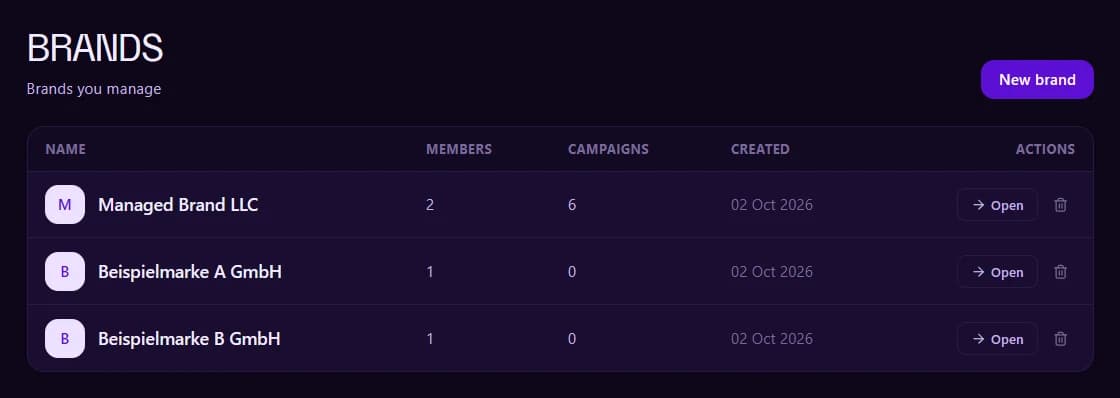
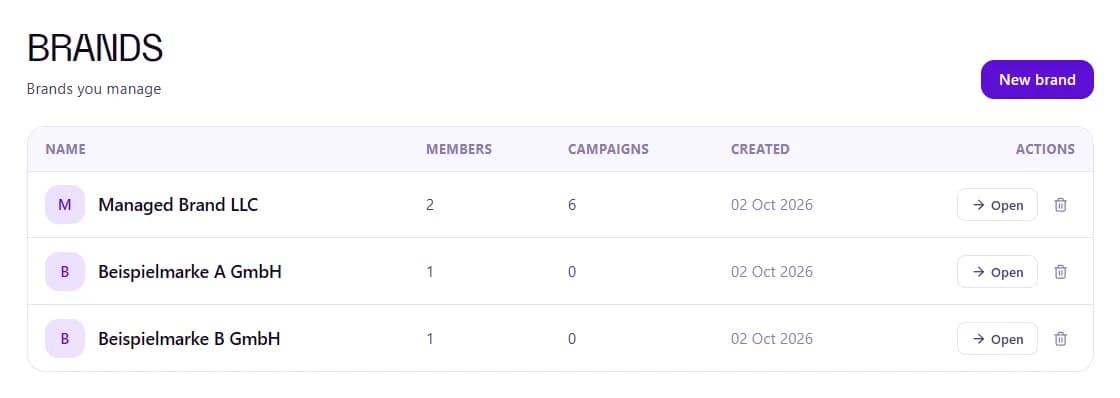
Client management in the PixelPact dashboard: three brands in one agency account with members, campaigns and creation date

Targeting and streamer pool

You set these options when you create a campaign.

228 channels went live in the last 30 days and can deliver your campaign.

Example stream categories
  • Shooters
  • Strategy
  • RPGs
  • Just Chatting
  • Sports & Racing
  • Retro
Countries
Germany, Austria, Switzerland and 17 more
Languages
German, English, Portuguese and 12 more
Stream categories and industries
44 categories, 17 industries
Viewer range
5 to 250 viewers
Mature content
allow or exclude

How it works

  1. Create a campaignChoose format, budget and audience.
  2. LiveThe campaign goes straight into the pool and runs in matching streams until the budget is used up.
  3. ReportYou get the report once the campaign ends.

Frequently asked questions

Start your first campaign

From a €100 budget, right in the dashboard. If you’d like to talk first, request a call with us.

  • FranziskaCGO & Sales
  • MichiSales
  • ThomasNew Business & Sales

Rather start together?

Franziska, Michi or Thomas will advise you personally, from strategy to evaluation.

Request a call

Bigger plans? Request a custom offer

Stream yourself? Connect your channel