Ads in your stream. You decide how many.
Free, with no lock-in and no Affiliate status needed, for Twitch, YouTube and Kick.
€3.50 to €5per 1,000 viewers for display and hero ads
Already on board? Log in
 Real stream
What you earn
You earn when a paid campaign runs on your channel. How often that happens depends on how many advertisers are booking and whether their campaigns match your channel.
Work it out for your channel| Format | Earnings |
|---|---|
| Display, static image | €3.50 per 1,000 viewers |
| Display, animatedGIF or video | €4.50 per 1,000 viewers |
| Heroanimated across your whole screen | €5.00 per 1,000 viewers |
| Chat-only campaign | €2.50 per 1,000 stream viewers when the message appears |
| Chat linkin combined campaigns | €0.20 per counted click |
- We count the viewers watching at the moment the ad appears.
- Clicks only count after bot filtering and de-duplication. In combined campaigns, the chat message itself is not paid, only the click.
Per campaign within 24 hours Clicks Per click 1 to 50 €0.20 51 to 200 €0.10 201 to 500 €0.05 501 and up €0.02 - Prestige bonus: depending on your level, an extra 2 to 20% on your earnings. See the levels
- If you bring in another streamer, you both get €5 once they’ve earned €10.
- You can cash out from €10: by PayPal (2% fee, max. €12) or free of charge by bank transfer. It takes up to 14 business days.
- Earnings live in your dashboard.
What does an hour with a campaign earn you?
- Per hour
- €0.47 to €1.62
- Per stream
- €1.30 to €4.46
Calculated for times when a paid display campaign runs on your channel. There are also times without a paid campaign, when you earn nothing. An estimate, not a promise. Both figures assume every possible ad slot actually runs. Usually it’s less.
- Lower bound: €3.50 per 1,000 viewers (display, static image). Upper bound: €4.50 per 1,000 viewers (display, animated).
- Ads per hour: light 5 to 10, standard 7.5 to 20, heavy 12 to 30.
- Per hour = viewers × ads per hour × rate ÷ 1,000 × (1 + prestige bonus).
- Per stream = per hour × (hours per stream − 0.25). The first 15 minutes of every stream run without ads.
- Prestige bonus: added according to the selected level, no bonus at level 1.
- Not included: hero, chat campaigns and clicks.
The more active you are, the more you get
There are 11 prestige levels. Each level adds a bonus on top of your earnings. Advertisers don’t pay more for it; the bonus comes out of our share.
Exclusive partner status can add a further bonus; it is added to the prestige bonus.
The three thresholds
- Stream hours in the last 30 days.
- Impressions in the last 30 days, meaning how many people saw your ads.
- Click quality: we check whether clicks on chat links are genuine.Click quality only gets a value once you have at least 20 clicks on chat links within 7 days. Without it, you stay at level 1.
- You get the highest level at which you meet all three values. Your level is recalculated daily.
| Level | Bonus | Hours in 30 days | Impressions in 30 days | Click quality |
|---|---|---|---|---|
| 1Rookie | 0% | 0 | 0 | no requirement |
| 2Climber | 2% | 5 | 500 | min. 0.40 |
| 5Grinder | 8% | 40 | 30,000 | min. 0.72 |
| 8Champion | 14% | 100 | 500,000 | min. 0.87 |
| 11Living Legend | 20% | 200 | 5,000,000 | min. 0.96 |
Click quality is a value from 0 to 1. The higher it is, the larger the share of clicks on your chat links that we count as genuine.
When you reach or lose a level, you get a message by email or Discord; you can turn either off.
Ad formats in your stream
Three formats that appear in your overlay or chat. Pick one to preview it on the stream.
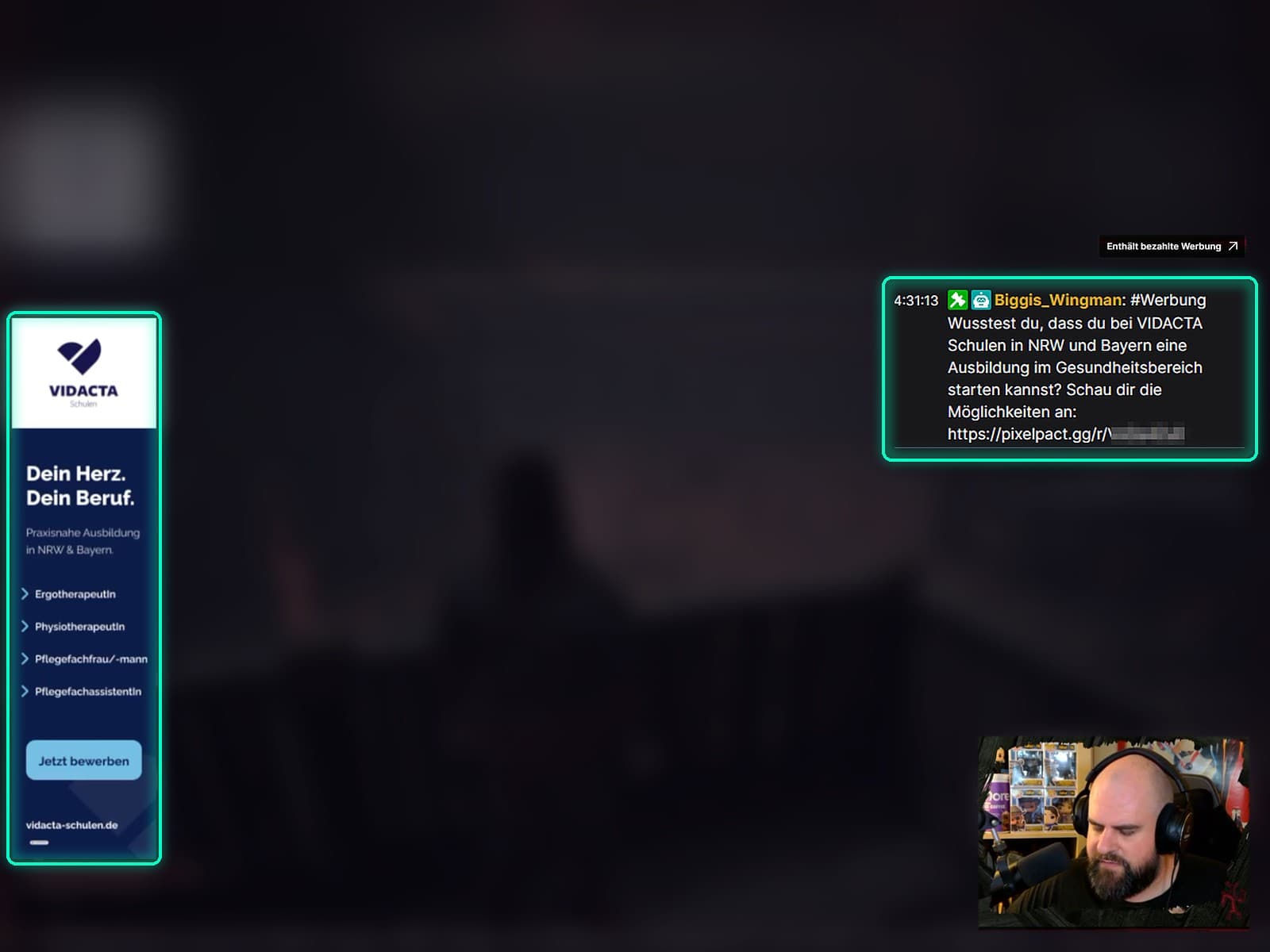
Hover over a format to see it in the stream.Tap a format to see it in the stream.
Chat messages are automatically labelled as advertising. For overlay and hero ads, turn on your platform’s paid promotion label, for example ‘Includes paid promotion’ on Twitch.
Your settings
You set all of it in your streamer dashboard.
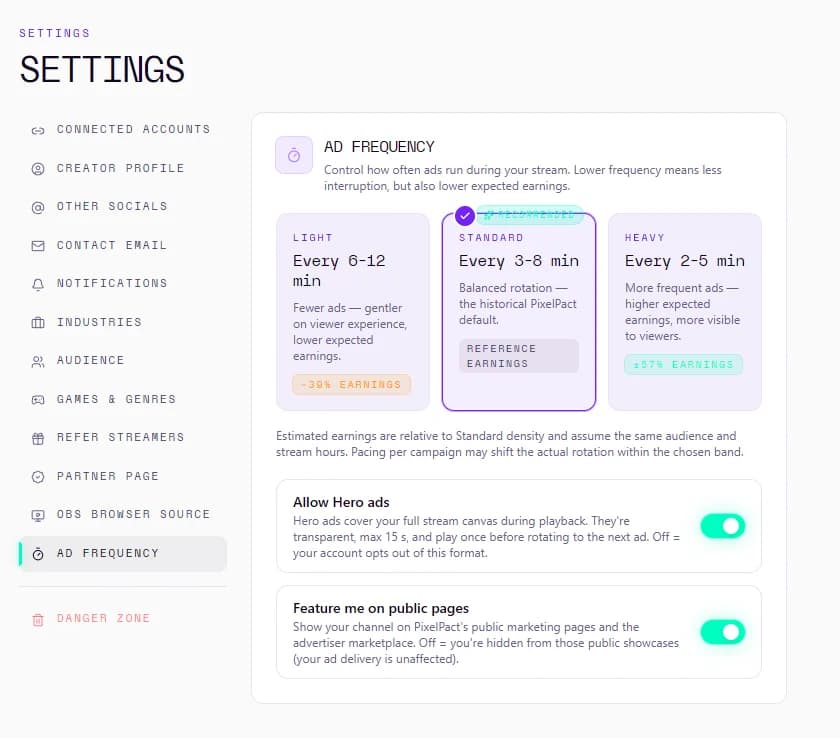
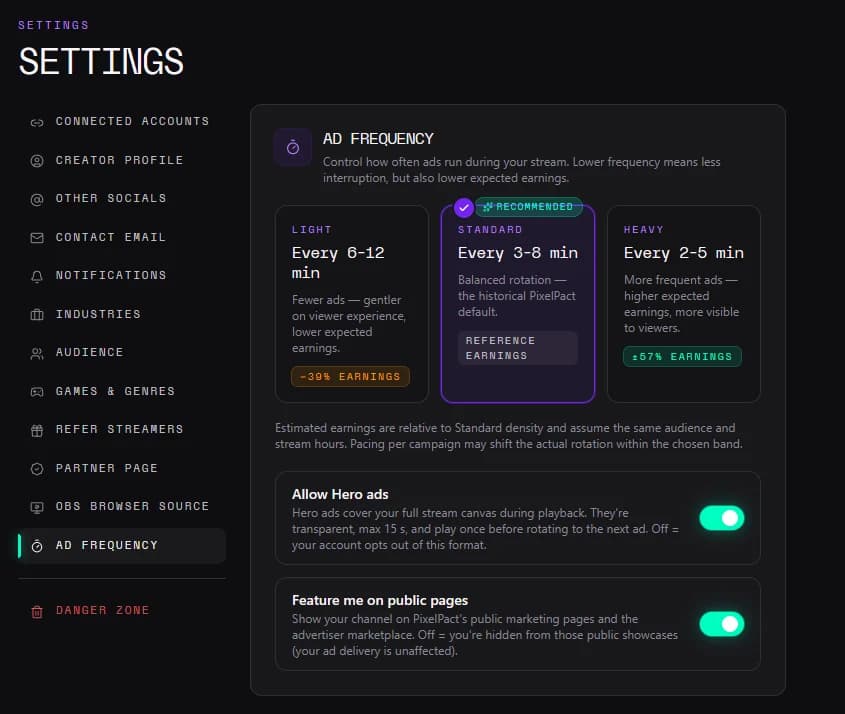
Ad density
Three levels. This is the gap between two ads:
- Lightevery 6–12 minutes
- Standardevery 3–8 minutes
- Heavyevery 2–5 minutes
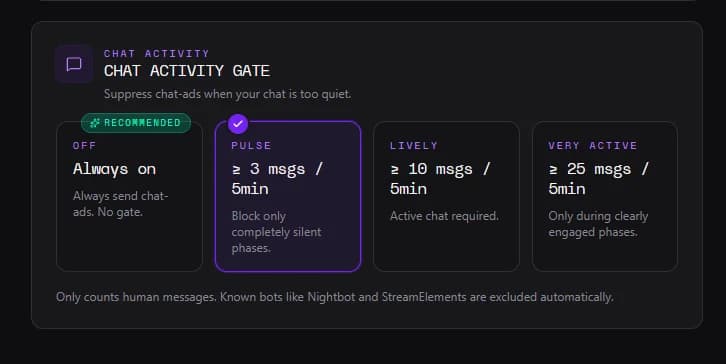
Chat activity
Chat ads only run when there’s enough going on in your chat. You choose the threshold:
- Offalways on
- Pulsefrom 3 messages in 5 min
- Livelyfrom 10 messages in 5 min
- Very activefrom 25 messages in 5 min
Only human messages count. Known bots like Nightbot and StreamElements are excluded automatically.
- Campaign by campaignDecline any campaign or pause it for 24 hours. Matching campaigns run automatically, others only if you opt in.
- Exclude heroExclude hero campaigns with one switch.
- Overlay positionSkyscraper left or right, banner top or bottom, box ad in any of the four corners, vertical box ad top or bottom.
- Test adPreview each format for 30 seconds, outside your stream. Not billed.
- Chat botConnect or disconnect per platform.
- Vertical formatFor dual-format streams, add a second browser source.
Without a connected overlay, no display campaigns run on your channel. Without the bot, no chat campaigns.
What always applies
- 15 minNo ad runs in the first 15 minutes after you go live.
- 90 secDelay while a Twitch ad break is running.
Twitch, YouTube and Kick
Connect what you use. Which platform a campaign runs on depends on where you’re live at the moment.
- Twitch
- YouTube
- Kick
These channels are already on board
 lisi666_
 Shuryfox
 Banzouru
 DeltaOscarSim
HemanPlays
 LostKevo
 retrodoomguyhun
 bez-taktiky
How to get started
- Sign up for free and connect your channels.
- Add the overlay as a browser source in OBS, optionally connect the chat bot, check the test ad.
- Go live. No ad runs in the first 15 minutes.
Same numbers for you and the advertiser
Your ads are counted and logged exactly as they appear in the advertiser’s report: with time, viewer count and, if not billed, the reason.
- Overlay shown, 184 viewers.19:40 · billed
- Chat message posted by your bot, 181 viewers.19:41 · billed
- Twitch ad break running, ad delayed by 90 seconds.19:42 · not billed
- Overlay shown, 179 viewers, 6 bots filtered out.19:44 · billed
Coming soon for streamersPixtronbot
Your chat runs itself. You stream.
Soon your PixelPact account comes with Pixtronbot: chat commands, timers, a random clip player and shoutouts with a clip in your overlay. Free, in the same dashboard.
- Chat commands
- Timers
- Random clip player
- Shoutouts with a clip
- Never posts ads
nova_lena: !so @MusterMia
BotPixtronbot: Go check out @MusterMia! Her clip is playing on stream right now.
pixelfuchs: !commands
BotPixtronbot: All commands: pixelpact.gg/@yourchannel/commands
Frequently asked questions
No.
Only when a paid campaign matches your channel. How often that happens depends on advertiser bookings.
Anyone can sign up. Ads run while 5 to 250 people are watching.
No. You don’t need Affiliate or partner status on Twitch, YouTube or Kick. All that counts is that 5 to 250 people are watching.
No. You can decline or pause any campaign individually.
No ad runs in the first 15 minutes. You choose the density yourself, and you can switch off the hero format.
No, there’s no exclusivity.
Yes. Chat messages carry #Werbung automatically. For overlay and hero ads, turn on your platform’s paid promotion label while a campaign is running. This is not legal advice; details are in the guide by the German media authorities (Medienanstalten).
Ad income from streaming is usually taxable. If you stream regularly to make a profit, that usually counts as a business: in Germany you register a trade (Gewerbe) and send the tax registration questionnaire to your tax office via ELSTER, which gives you your tax number. As a small business below the statutory turnover limits you don’t charge VAT. If you’re under 18, running your own business needs your parents’ consent and the family court’s approval. Different rules apply outside Germany.
We handle the invoicing: for every payout you automatically get a self-billing credit note (§ 14 UStG) with your tax number or VAT ID and every billed ad. Whether it shows VAT depends on your payout profile, such as your small-business status. The credit notes are PDFs in your wallet, and the amounts in the dashboard are net.
This is not tax or legal advice. If in doubt, ask a tax adviser or your tax office.
Tax guide for influencers (Baden-Württemberg Ministry of Finance, in German)
Then direct sponsoring is available on request.
Get your channel ready



The people behind PixelPact stream themselves: Franziska, Marcell, and Michi.
Already on board? Log in